Tool Management
View and manage all your mise tools directly in VS Code. Install, remove, or switch versions with a click. The extension automatically configures other VS Code extensions to use your mise-managed tools. Learn More →
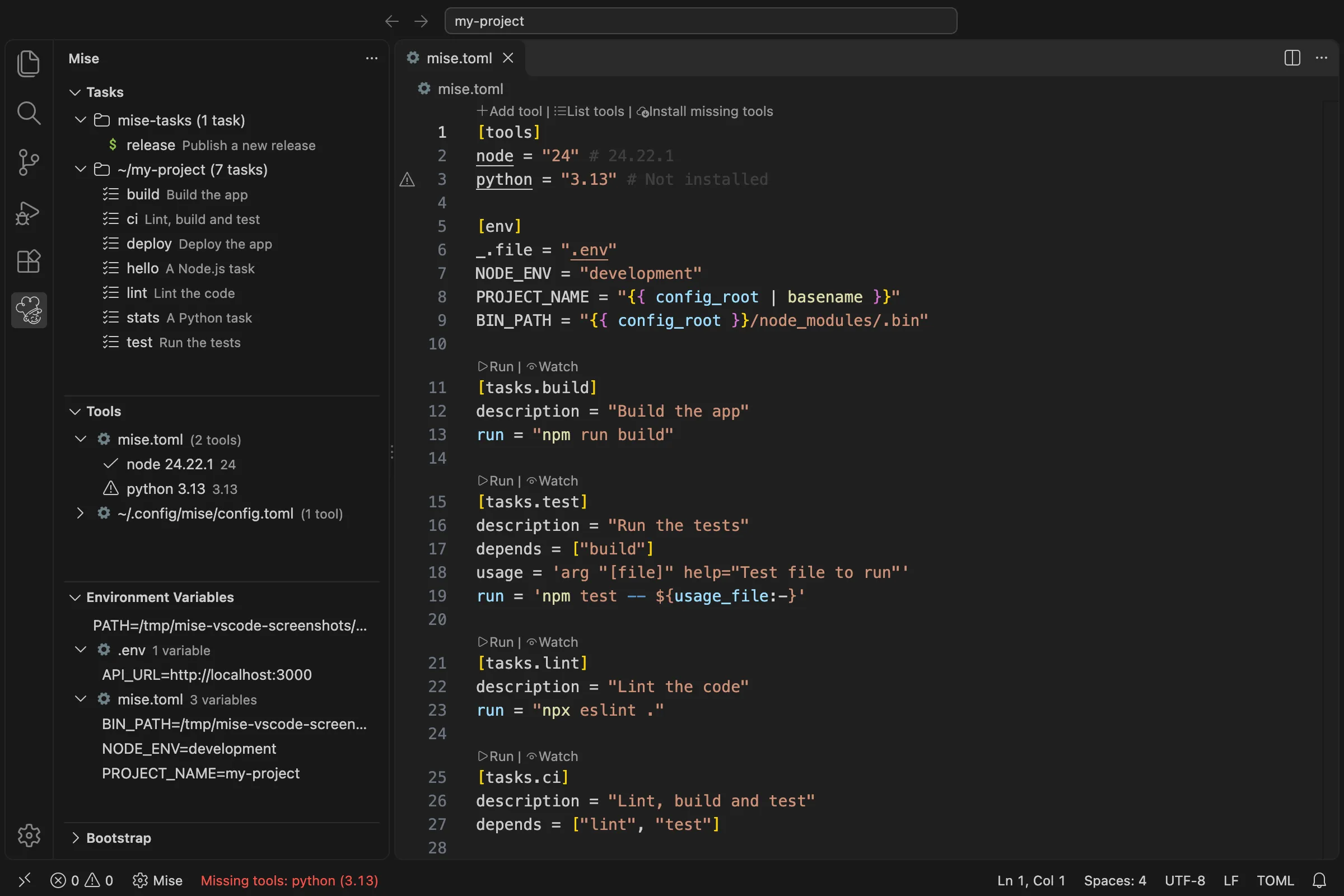
Tool Management
View and manage all your mise tools directly in VS Code. Install, remove, or switch versions with a click. The extension automatically configures other VS Code extensions to use your mise-managed tools. Learn More →
Task Runner
Run mise tasks directly from mise.toml files, the command palette, or activity bar. Create new tasks easily with built-in snippets and view task dependencies in a visual graph. Learn More →
Environment Variables
View mise environment variables right in VS Code with quick navigation to their definitions. Environment variables from mise.toml files are automatically loaded into your editor. Learn More →
Mise TOML support
Full mise.toml support including syntax highlighting, autocompletion, go-to-definition, and find references. Also includes support for Tera templates and task snippets. Learn More →
Daemons
Run the databases and development servers of your project, declared in mise.toml or pitchfork.toml, with pitchfork. See their status, start or stop them (or a whole group), follow their logs, and start them along with the workspace. Learn More →
AI agents (MCP)
Give the AI agents of VS Code, such as the agent mode of Copilot, the MCP servers of mise and pitchfork: the project’s tools, tasks and environment, and its daemons. Off by default, one setting turns them on. Learn More →
Works with VS Code Tasks
Use mise tasks in your launch.json configurations. Seamlessly integrate with VS Code’s built-in task system.
Tool Integration
Automatically configures popular VS Code extensions to use your mise-managed tools. Supported Extensions →
Getting Started
Easy to set up Begin Setup →
Important defaults
Important settings to customize Configure →
Language Guides
FAQ
Common questions and troubleshooting Read FAQ →